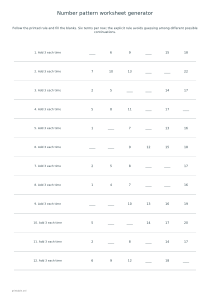
Create six-term number sequences with missing entries and a clearly printed rule. Practice addition, subtraction, multiplication or alternating additions with reproducible tasks and optional completed answers.
Live preview210 × 297 mm
A4
Preview is scaled to fit. The PDF keeps the exact dimensions.
PDF and Print include all pages. PNG and SVG save the page shown.
For true-size printing: choose 100% / Actual size, match the paper size and turn off headers and footers. Printing guide ↗
Ready for your printer
Choose the rule, step or factor, number of missing terms and question count. Every row contains six terms, with one, two or three left blank. The rule is printed beside the sequence so the task is to apply a known relationship rather than guess which of many possible continuations was intended. Use a single mode for focused practice, or Mixed tasks to compare the four supported rules.
💡A few useful answers
Must learners discover the rule themselves?
No. Every row prints its intended rule. The exercise is completing a sequence under that rule, which avoids implying that a short list of numbers has only one possible mathematical continuation without additional information.
Can subtraction produce negative terms?
The generator chooses starting values that keep all six terms nonnegative. This worksheet therefore practices repeated subtraction within nonnegative integers. It is not a negative-number sequence editor, even when the subtraction step is large.
Why are some multiplication values much longer?
The factor is applied five times after the first term. Repeated multiplication grows quickly, especially with factors near twelve. Choose a smaller factor for shorter values; changing the number of blank positions does not reduce the completed sequence.
Read the rule before filling blanks
✏️Adding the step increases every term by the chosen integer. Subtracting uses the same step in the opposite direction and starts high enough to keep all six terms nonnegative. Multiplication applies the selected factor repeatedly, so values grow much faster than they do in the addition mode. The permitted step or factor is between two and twelve. A larger factor can produce long whole numbers near the end of a six-term row, which is useful to notice before assigning the sheet.
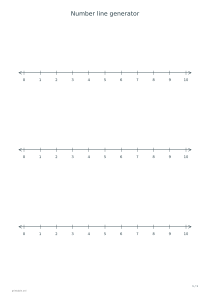
Alternating additions use the selected step, then twice that step, beginning with the smaller addition. For a step of three, the successive changes are plus three, plus six, plus three, plus six and plus three. The printed rule states that starting order explicitly. Marking the gaps between terms can help a learner distinguish the alternating change from the values being written. The number line editor provides a separate visual aid for discussing those jumps.
Control the numerical challenge
The missing-term setting controls how many of the six positions are blank. The seed determines which positions are hidden and selects a starting value. A blank at the beginning of a row requires working backwards from later information, so it can feel different from filling the last position even when the rule is unchanged. Read the entire row before calculating. With multiplication, working backwards uses division by the same factor, not subtraction.
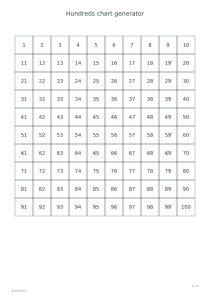
Mixed mode cycles through addition, subtraction, multiplication and alternating additions. It does not introduce an unlabelled fifth rule or ask learners to infer an arbitrary pattern. That clarity matters because any short sequence can have more than one mathematically possible continuation. Here the stated operation defines the intended answer. The hundreds chart can support a discussion of repeated additions without changing the worksheet’s explicit rule.
Use the answer key to discuss steps
📝Six, twelve or twenty-four questions are available. The sheet reserves twelve rows, so a six-question version leaves extra working room. Twenty-four questions produce two task pages, followed by two answer pages when keys are enabled. Answer rows show every term, including those originally hidden. Compare adjacent differences or ratios when checking work, and look for the first mistaken transition rather than treating the last incorrect value as an isolated error.
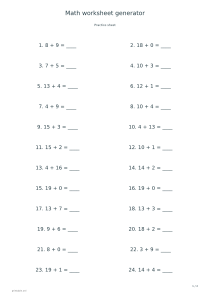
A4, A3 and US Letter support both orientations. A wider layout can make large multiplication terms easier to read; the generator keeps the same numbers when the paper format changes. PDF and Print include the complete set, while SVG and PNG export the selected page. A Share link retains mode, factor, missing positions and seed. For repeated practice with the underlying operations alone, open the arithmetic worksheet generator.
Number pattern worksheet generator
Add three with two missing terms
Select Add the step, set the step to 3, hide two terms and choose twelve questions with seed 17. Enable answers on A4 portrait. The first page has twelve six-term rows; the second shows every missing value under the same rule.
Choose Mixed tasks, step or factor 2, three missing terms, twelve questions and seed 31, with answers enabled. The printed rules cycle through the four modes. Review the alternating rows carefully: their changes begin with plus two, then plus four.