Free · No sign-up

Math worksheet generator.

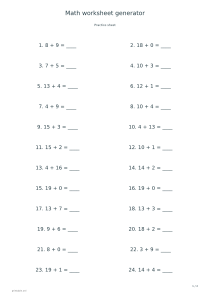
Create printable arithmetic exercises with chosen operations, number limits, missing operands and separate answer sheets.

Make it yours

01 The page
Orientation
02 The details

The same code and settings reproduce the same design.

03 Ink color
Ink color
Paper color

○ Free · No sign-up

Live preview210 × 297 mm
A4

Preview is scaled to fit. The PDF keeps the exact dimensions.

Ready for your printer

Custom color

Ink color

Use left and right arrows for saturation, up and down for brightness. Hold Shift for larger steps.

Which numbers can appear?

A few useful answers

Which numbers can appear?

Operands and results stay within the selected maximum. Subtraction can require or exclude borrowing; division can include remainders. Missing-operand exercises use exact division.

What does the missing-number option change?

Instead of the result, one operand is left blank. The answer sheet prints the complete equation, so both versions can be checked against the same numbered exercise.

Can I make another set?

The same settings and seed reproduce the exercises. Horizontal layout holds 24 per page; column layout holds 12 with working space. Answers show completed equations.
Math worksheet generator

Maximum number: 20

Use these settings: Operation: +; Maximum number: 20; Number of exercises: 12; Missing operand: No; Add answer sheet: No.

Open this example

Maximum number: 100

Use these settings: Operation: Mixed; Maximum number: 100; Number of exercises: 48; Missing operand: Yes; Add answer sheet: Yes.

Open this example

Borrowing: With borrowing

Use these settings: Operation: −; Maximum number: 100; Borrowing: With borrowing; Column layout: Yes; Number of exercises: 12; Add answer sheet: Yes.

Open this example

Division with remainders: Yes

Use these settings: Operation: ÷; Maximum number: 100; Division with remainders: Yes; Column layout: Yes; Number of exercises: 12; Add answer sheet: Yes.

Open this example