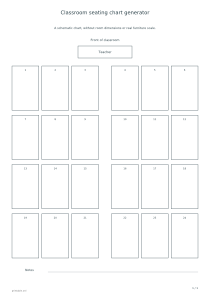
Make a one-page seating chart with rows or groups of four. Add names, seat numbers and an optional middle aisle, or leave the chart blank for handwriting later.
Live preview210 × 297 mm
A4
Preview is scaled to fit. The PDF keeps the exact dimensions.
PDF and Print include all pages. PNG and SVG save the page shown.
For true-size printing: choose 100% / Actual size, match the paper size and turn off headers and footers. Printing guide ↗
Ready for your printer
A seating chart gives a group one clear picture of agreed places. It can support lesson preparation, a change of arrangement or instructions for someone temporarily leading the class. The result is schematic rather than a measured room plan. Compare it with the actual space and students' needs before using it. Placing names in a neat grid does not establish accessible routes, safe clearances or a pedagogically appropriate pairing for every learner.
💡A few useful answers
Is the chart drawn to the classroom's actual scale?
No. It is a schematic without room dimensions or real furniture measurements. A drawn aisle does not establish its physical width. Check the actual layout and the needs of people using it separately; a tidy diagram is not safety or accessibility certification.
Can I leave every student name blank?
Yes. Seats can remain unnamed, with numbers either enabled or disabled. This supports handwriting after printing or reusing the same structure. A blank seat is not an attendance status, and the editor will not look elsewhere to fill a missing name automatically.
Can shuffling lose a name from my list?
Each entered name is preserved once, provided the list fits the available seats. The arrangement code changes order rather than content. After changing the layout, recheck capacity and readability. Shuffling does not assess relationships or select the best neighboring students for a lesson.
Choose rows or groups of four
✏️In Rows, choose two to six rows and two to six columns. Their product determines the seat count. An optional middle aisle visibly divides the arrangement, but it has no specified physical width. First establish how many places you need, then choose a readable layout. Different row-and-column combinations can give the same total while showing different relationships to the front of the room. Check which arrangement reflects the furniture you actually intend to use.
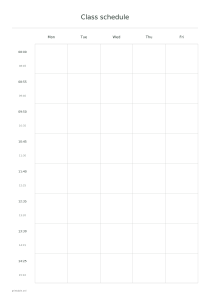
Groups provides two, four or six groups with four seats each, making eight, sixteen or twenty-four seats. It does not support an arbitrary number at every table. Choose it when the important relationship is collaboration in fours. A class schedule can separately organize the timing of lessons and activities. This chart shows where people sit, not when an activity changes, how long it lasts or who leads each part of the day.
Match the name list to available seats
Names are optional, one per line, with up to twenty-four visible characters each. The list cannot exceed the available seats. Unnamed places stay blank apart from optional seat numbers. Shorten long entries clearly and check that learners with the same first name remain distinguishable. The editor does not connect to a roster or verify identity. If an identical name is entered twice for two people, any distinction must come from the labels you choose.
Listed preserves the entered order. Shuffled uses the arrangement code to redistribute that list while keeping each entered name once. The same list, settings and code recreate the result. This is not assignment based on ability, behavior or personal needs. Review the layout before applying it rather than treating a shuffled position as a recommendation from a system that knows the class. The code changes order, not the meaning or spelling of names.
Use the chart as a clear seating agreement
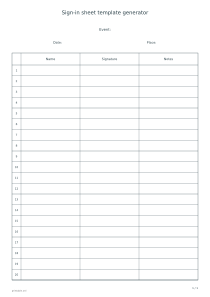
📝Native-language labels place the front of the classroom and teacher position above the seats. Numbers help discuss places even when names are absent. Use a sign-in sheet for attendance: an assigned seat does not prove someone attended that day. Seat numbers also do not imply grades or a ranking. Their purpose is to identify a specific place consistently when discussing or annotating the same schematic chart.
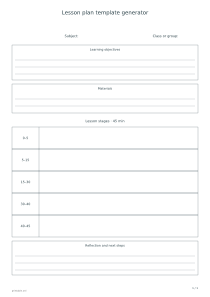
Connect a seating change with a goal in a lesson plan, such as partner discussion or group work. Keep sensitive assessments out of a public title. You can print an unnamed chart and add names by hand. Editing and exports are local; explicit Share publishes entered names and settings, so review them first. PDF and Print include the complete one-page chart, while PNG, SVG and Share use its selected preview.
Classroom seating chart generator
Twenty-four seats in rows
Select Rows, four rows, six columns, a middle aisle and numbered seats. Keep Listed order. The result is one chart with twenty-four places. Leave names empty if you want to use the numbers for discussion, and verify the actual furniture arrangement directly in the classroom.
Choose Groups with four groups, enable seat numbers, keep Listed order and select landscape orientation. One page contains sixteen seats, four per group. Enter no more than sixteen names or keep the places blank for a later handwritten record of the activity's participants.