Create a printable lesson plan with learning objectives, materials, timed activities and reflection notes. Edit the template, preview your teaching plan and download PDF, PNG or SVG.
Live preview210 × 297 mm
A4
Preview is scaled to fit. The PDF keeps the exact dimensions.
PDF and Print include all pages. PNG and SVG save the page shown.
For true-size printing: choose 100% / Actual size, match the paper size and turn off headers and footers. Printing guide ↗
Ready for your printer
A useful lesson plan connects what learners should be able to do with the activities that make that learning visible. This one-page planner keeps your objective, preparation list, sequence and follow-up together. It works for classroom teaching, tutoring and home learning without imposing a particular curriculum or teaching method.
💡A few useful answers
Does the generator write a lesson for me?
No. You supply the objective, materials and activities. The tool lays them out and calculates the stage timings; it does not generate curriculum content, assess learners or certify a plan against local requirements. You can leave the text fields empty and use the sheet as a handwritten planning template.
How much text fits in the plan?
Subject and group allow 60 characters each. Objectives, materials and reflection each allow 220 grapheme clusters, while an activity allows 90. These limits keep the single-page layout readable. If a plan needs detailed teaching notes or a long reading text, keep those in a separate document and refer to them briefly here.
Can I save a reusable blank template?
Yes. Leave the text areas blank, retain the stage durations you normally use and export the plan. For another lesson, change the subject and activities without rebuilding the layout. A shared settings link includes the text you entered, so use sample or non-sensitive classroom details when making a public Share link.
Plan a lesson around observable learning
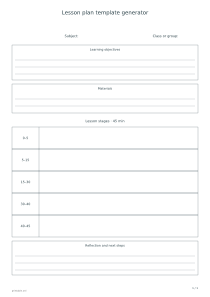
✏️Start with the subject and group, then write one or two specific learning objectives. Prefer an action you can notice, such as explaining a fraction model or finding evidence in a short passage. A topic alone does not tell you whether the learner has understood it. Keep the objective concise enough to consult while teaching.
List the materials you actually need: books, counters, printed cards or a particular exercise sheet. Prepare these before the lesson and check that they support the stated objective. You can make matching questions and answers with the flashcard generator, then mention that set in the materials field instead of copying the whole activity into the planner.
Give every activity a place in the sequence
Enter each stage on its own line as minutes, a vertical bar, and an activity. For example, 5 | Review creates a five-minute first stage. The generator adds the durations and prints elapsed time ranges. These are offsets from the beginning of the lesson, not clock times or calendar appointments. Empty activity text leaves writing space.
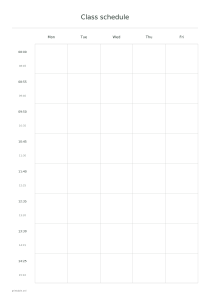
The template accepts one to eight stages, each lasting one to 120 minutes, with a combined limit of 480 minutes. Give a transition or short review its own row when you need to budget for it. For a recurring school timetable, use the separate class schedule generator; this page plans the sequence inside a single lesson.
Use the printed plan during and after teaching
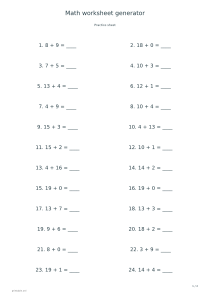
📝Print a blank outline for handwriting or fill in the main decisions before printing. Leave room for checking understanding, not only presenting information. A short independent task can reveal where the next lesson should begin. The arithmetic worksheet generator can supply a reproducible practice set when arithmetic is part of your objective.
After the lesson, use the reflection area to record what learners demonstrated, which activity took longer than expected and what you will change next time. Write observations rather than a general judgement about the group. Keeping the original timing beside those notes makes the next revision more concrete and helps distinguish a timing problem from an unclear task.
Lesson plan template generator
A 45-minute lesson outline
Use A4 portrait with the default five stages: 5, 10, 15, 10 and 5 minutes. The printed ranges are 0–5, 5–15, 15–30, 30–40 and 40–45. Leave the activities blank for handwriting, or fill them with a review, demonstration, guided task, independent check and closing discussion.
Use A4 landscape and four blank stages of 10, 15, 25 and 10 minutes. The total is 60 minutes, and the activity column has more horizontal room. Choose this outline for a short introduction, a demonstration, a longer practical task and a final review; the teaching content remains yours to decide.