Turn category data into a graph-reading or graph-drawing worksheet. Choose bars or pictographs, select an appropriate scale and add a completed chart with answers to four questions.
Live preview210 × 297 mm
A4
Preview is scaled to fit. The PDF keeps the exact dimensions.
PDF and Print include all pages. PNG and SVG save the page shown.
For true-size printing: choose 100% / Actual size, match the paper size and turn off headers and footers. Printing guide ↗
Ready for your printer
A graph connects a table entry with a visual quantity. Learners need to understand the category, the scale and the evidence behind their answer. The same data can become a finished chart to read or an empty grid to complete. Begin by reading the names and values together. This separates difficulty understanding the data from a mistake counting symbols, following an axis or adding quantities.
💡A few useful answers
Why does a pictograph reject some values?
Each symbol represents a whole group of the chosen size. With a scale of two, every category value must be divisible by two without a remainder. Partial symbols are not generated. Check all rows, then choose a scale that works for the entire data set or intentionally change the source values.
What happens when two categories share the greatest value?
Both are correct, and the answer key lists every tied category. The same rule applies to the smallest value. Do not require a single name when the data supports several answers.
Where are the numbers when the graph is empty?
The source table stays on the worksheet in Draw Graph mode. Learners transfer those values onto the grid or into rows of symbols using the legend. An empty chart is therefore not an instruction to invent data. The key shows the completed version and answers the same four questions.
Enter clear categories and whole values
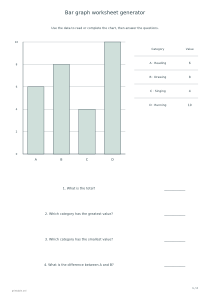
✏️Enter two to eight rows in category | value form. Category names must be unique and contain no more than twenty visible characters. Values are whole numbers from zero to fifty. Use short names that distinguish ordinary groups, such as book types or activities. The supplied native-language sample has four categories with values six, eight, four and ten.
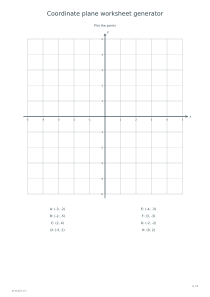
The chart uses identifiers A through H linked to the full category names in the printed source table. Every category stays visible, including one with a zero value. Connect the identifier with its name before answering. Zero is a reported quantity, not a missing entry. Coordinate plane worksheets offer separate practice with grids and positions, but explain that their task differs from comparing quantities attached to named categories on this particular chart.
Match the scale to the chart
For a bar chart, the scale sets the axis tick interval: one, two, five or ten. For a pictograph, it specifies how many units each symbol represents. Every category value must then divide exactly by that number. The generator does not draw a fractional symbol for a remainder. Divide each source value by the legend quantity before choosing the pictograph scale. If a value does not fit, change the scale or deliberately revise the data rather than accepting an ambiguous picture.
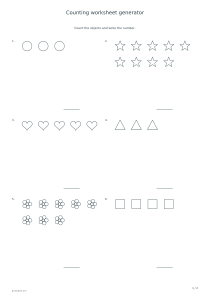
Read Graph supplies completed bars or symbols. Draw Graph leaves axes and grid available for the learner to complete while retaining the source table on the worksheet. The quantities therefore do not need to be invented. Counting worksheets can prepare learners to connect individual objects with numbers. A pictograph introduces a further distinction: one drawn symbol may represent several objects, so reading the legend is essential instead of simply counting the visible pictures as single units.
Connect the display with four data questions
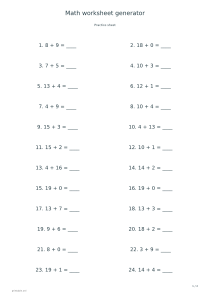
📝Four questions ask for the total, the greatest category, the smallest category and the difference between the first two categories, A and B. When categories tie for greatest or smallest, the key lists them together. Locate the relevant data before doing arithmetic. Use general arithmetic worksheets for separate calculation practice. That distinction helps identify a learner who has read the chart correctly but made a later addition or subtraction error when producing the final numerical answer.
The result is one worksheet and an optional answer page with the completed chart and calculated responses. Check names, scale and legend after editing the table. PDF and Print include both enabled pages; PNG, SVG and Share use the selected preview page. Explicit sharing makes entered data public. Choose example categories and values you intend to show others, rather than placing confidential classroom results behind apparently general category labels and assuming the shared design keeps those entries private.
Bar graph worksheet generator
Read the sample bar chart
Load the native sample categories with values 6, 8, 4 and 10. Select Bar Chart, Read Graph, scale two and answers enabled. One worksheet is followed by one key page. Connect A through D with their table names before answering the four questions about the supplied data.
Use the same native sample, choose Pictograph, Draw Graph, scale two and answers enabled. All four values divide exactly by two. Learners determine the number of whole symbols for each category from the table, then compare their completed display and calculations with the separate answer page.