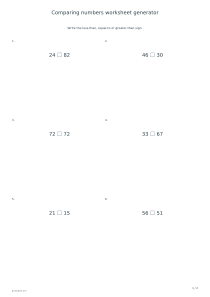
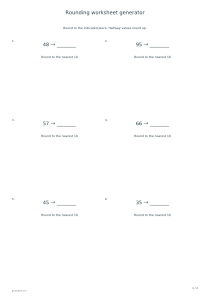
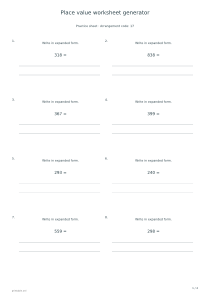
Print number-comparison exercises or sets to arrange in ascending or descending order. Choose a nonnegative range and decimal precision, then create checked answer pages using the same exact values as the worksheet.
Live preview210 × 297 mm
A4
Preview is scaled to fit. The PDF keeps the exact dimensions.
PDF and Print include all pages. PNG and SVG save the page shown.
For true-size printing: choose 100% / Actual size, match the paper size and turn off headers and footers. Printing guide ↗
Ready for your printer
Separate the question of value from the way a number looks on the page. A larger digit string is not always a larger number, especially with decimals, and a familiar comparison sign can be reversed when read aloud. These worksheets let you focus on either a pairwise decision or an ordered group while keeping the notation consistent.
💡A few useful answers
Can I include negative numbers?
This editor uses nonnegative values from zero through the selected maximum. It does not add a negative-number mode or change the order rules around zero. Choose another activity when signed numbers are the specific learning objective.
Why do some comparison questions show identical numbers?
Equality is intentionally represented among the pairwise questions. Learners should consider all three signs rather than assuming one value must be larger. The key uses an equal sign for those pairs, while four-number ordering groups contain distinct values.
Does two decimal places mean the values are rounded first?
No. The worksheet creates values directly at the chosen scale and compares those exact values. Two decimal places are part of the data and its display. There is no hidden higher-precision value that could change the expected comparison after rounding.
Choose comparison or ordering as the task
✏️In comparison mode, every question shows two numbers with a space for less than, equal to or greater than. Equal pairs are deliberately included so equality is a real choice rather than a token instruction. Ask the learner to read the complete statement after filling the gap. A place-value worksheet can support that discussion when the first differing digit is the useful evidence for deciding which number is larger.
Ascending mode presents four distinct values to arrange from smallest to largest. Descending mode reverses that direction. The source order is mixed, and the answer key shows the complete sorted sequence with comparison signs. Because each ordering group contains distinct values, there is no additional tie-order rule to explain. The task is about relative value rather than choosing where two identical entries should go.
Set the range and decimal precision together
Choose a maximum of ten, one hundred or one thousand. Zero is included as a possible value, and all numbers remain nonnegative. The maximum defines the allowed range, not the number of questions or a promise that the boundary itself will appear. Start with a small range when the comparison signs are new, then expand it when the learner can explain the decision consistently.
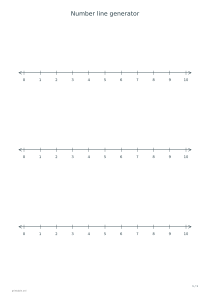
The decimal-place control supplies zero, one or two digits after the decimal separator. All values in a worksheet use the same chosen precision, making the relationship between digits easier to inspect. The language version selects the displayed comma or dot. Use a number-line reference alongside the page if a learner benefits from locating approximate positions before comparing the written forms.
Use the answer key to discuss value
📝The generator represents values as whole numbers with a shared scale, so comparisons and sorting are exact. A value is not rounded to decide where it belongs. The key is derived from the same numbers drawn in the question, including deliberately equal pairs. This matters for decimal examples whose differences may be small even though the printed digits look very similar at first glance.
Choose six questions for one practice page, twelve for two or twenty-four for four. Keep the arrangement code when recreating a set after a discussion, and try a new one for different values. A general arithmetic worksheet is a useful next activity when you want to compare calculated results, while this editor keeps every question focused on reading and ordering values already supplied.
Comparing numbers worksheet generator
Compare whole numbers up to one hundred
Choose Compare with signs, maximum 100 and zero decimal places. Use six exercises, arrangement code 17 and answers enabled on portrait A4. The single practice sheet includes pairwise decisions and is followed by the corresponding sign key.
Select ascending order, maximum 10 and two decimal places, with twelve exercises and arrangement code 31. Keep answers enabled. Two portrait A4 practice pages contain four-number groups; two key pages show those groups ordered from smallest to largest.