Generate rounding exercises for tens, hundreds, thousands, tenths or hundredths. Choose a compact question layout or show neighboring multiples and their midpoint, with exact calculations and a matching printable answer key.
Live preview210 × 297 mm
A4
Preview is scaled to fit. The PDF keeps the exact dimensions.
PDF and Print include all pages. PNG and SVG save the page shown.
For true-size printing: choose 100% / Actual size, match the paper size and turn off headers and footers. Printing guide ↗
Ready for your printer
Rounding is easier to explain when the two possible neighboring multiples are visible. This editor can show those endpoints and the halfway point beside each question, or leave just the number and answer space. Both layouts use the same rule: nonnegative values exactly halfway between the neighbors round to the larger one.
💡A few useful answers
Which halfway rule does the answer key use?
For these nonnegative exercises, an exact midpoint goes to the larger neighboring multiple. The rule appears in the worksheet instructions. The editor does not offer ties-to-even, significant-figure rounding or signed-number variants, so those should be taught with a separately chosen activity.
Why are there extra decimal digits in the question?
Tenths exercises show hundredths and hundredths exercises show thousandths. The additional digit supplies the information needed for the rounding decision. The answer is then displayed with the target precision, including a trailing zero when that expresses the selected place.
Does a number already on a multiple round upward?
No. A value exactly equal to a valid multiple remains there. The halfway-up rule applies at the midpoint between two multiples, not at every boundary. The plotted point and answer key make that distinction visible in the number-line layout.
Name the place before choosing an answer
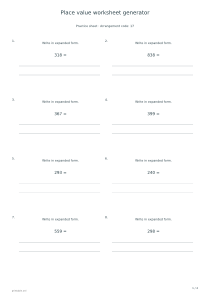
✏️Select 10, 100 or 1000 to practise whole-number rounding. The question asks for the nearest multiple of that selected value, not for a fixed number of significant figures. Establish what the target place means before applying a shortcut about digits. A place-value worksheet can help a learner distinguish the digit being rounded from the next digit used to decide between the two neighboring multiples.
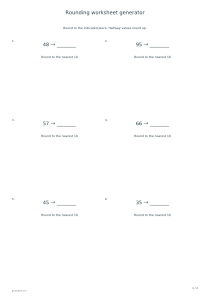
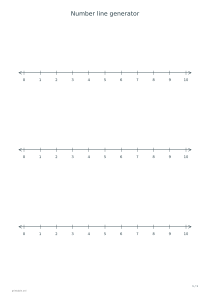
The nearest-number layout presents the original number, an answer space and the selected rounding unit. It suits a short written exercise when the learner already understands the rule. The number-line layout adds the lower multiple, upper multiple and midpoint, with a point for the original value. This is an explanatory schematic: it is not a measuring ruler or a promise that page distances represent real-world units.
Use neighboring multiples to explain the rule
A value below the midpoint rounds to the lower multiple; a value above it rounds to the upper multiple. At the midpoint, this worksheet uses the upper value. That convention is deliberately stated because other contexts may use different tie rules. The generator works with nonnegative numbers only, avoiding an unstated decision about how negative halfway values should behave.
Choose 0.1 for tenths or 0.01 for hundredths. Decimal questions show one additional place so the rounding decision is visible: hundredths when rounding to tenths, and thousandths when rounding to hundredths. The key keeps the requested number of decimal places. A separate number-line generator is available when you want a wider reference strip or a different range without a worksheet of individual questions.
Make decimal practice precise and readable
📝The calculations use scaled integers, so a halfway value is compared exactly rather than through an imprecise decimal approximation. The display follows the selected language’s decimal separator. A comma or dot changes how the number is written, not its value or the rounding rule. Read one example aloud together if the class uses a different notation from the language version you selected.
Choose six, twelve or twenty-four exercises and retain the arrangement code when you need to reproduce the same set. Exact halfway cases are included, and values may repeat; the set is not a graded examination. After discussing the decisions, use the arithmetic worksheet generator for calculations with whole numbers, keeping the separate learning goals clear rather than mixing rounding with unintroduced operations.
Rounding worksheet generator
Practise rounding to tens
Choose 10, Number and answer, six exercises, arrangement code 17 and answers enabled on portrait A4. One exercise page is followed by a key. Ask the learner to name the two neighboring tens aloud before writing each result.
Select 0.1 and Neighboring multiples and midpoint, twelve exercises and arrangement code 31. With answers enabled, portrait A4 produces two exercise pages followed by two answer pages. Compare each plotted value with its midpoint and apply the stated halfway-up rule.