Convert a picture into connected numbered coloring regions. Choose grid resolution, palette size and a small-region threshold, then print an outline with its color key and optional colored reference.
Live preview210 × 297 mm
A4
Preview is scaled to fit. The PDF keeps the exact dimensions.
PDF and Print include all pages. PNG and SVG save the page shown.
For true-size printing: choose 100% / Actual size, match the paper size and turn off headers and footers. Printing guide ↗
Ready for your printer
Color by number connects a label inside a region with a color in the palette. This editor first reduces a picture to square grid cells, then groups connected cells of the same palette color. The result deliberately simplifies the source and has stepped edges. Decide which features need to remain recognizable. A clear subject often survives a small grid better than a photograph full of fine lines, tiny details and nearly identical shades.
💡A few useful answers
Why do the boundaries look like steps?
The picture is represented by square cells, and region outlines follow their edges. That is the expected grid-based result rather than smooth vector tracing. Higher resolution adds more steps and detail but does not change the underlying method or promise photographic realism.
What happens to very small regions?
Regions below the chosen threshold merge with adjacent nearest colors. This can remove pieces that would be difficult to color, but it can also erase a useful detail. Review the motif after changing the threshold and reduce it or increase resolution if necessary.
Does sharing publish my original photograph?
It does not publish the original file. It saves the derived color grid, palette and selected preview, which may still show recognizable content. Share only a motif you intend to make public. Reopening that grid cannot restore the detail removed during simplification.
Choose a picture or the geometric sample
✏️Choose a JPEG, PNG or WebP image no larger than 12 MB and twenty-four million pixels. The original file stays local during processing. An original geometric sample works without an upload. Transparent input is composited on white, so transparency does not become a separate cutout color. Check how that white background affects the subject's edges and pale details; an element that stood out on a dark background may become less distinct.
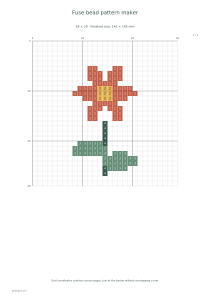
The longest grid edge has a maximum of sixteen, twenty-four or thirty-two cells, with the source aspect ratio preserved. A rectangular picture does not automatically become square. A larger grid retains more spatial detail but can produce more complex boundaries. A smaller grid simplifies the motif. For a separate activity built from individual cells, try a fuse bead pattern. Here several connected cells can instead form one larger region to color.
Balance grid detail and palette size
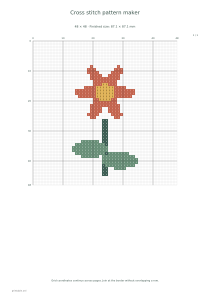
Choose four, six, eight or twelve palette colors. Color reduction is deterministic for the same source and settings. Similar original shades may merge into one color, simplifying the task while possibly removing a distinction needed for recognition. Compare a few settings before printing. A cross-stitch pattern maker serves work where individual stitches and thread placement matter; this coloring sheet does not calculate stitches, thread quantities or craft material requirements.
The small-region threshold is one, two, four or eight cells. Smaller connected regions merge into adjacent nearest colors until the process stabilizes. Raising the threshold can remove awkward tiny islands, but it may also change an important feature. Do not assume every part keeps its earlier color after merging. Review the whole subject rather than only the number of regions, checking whether the features that made you choose the picture remain distinguishable.
Follow connected regions using the color key
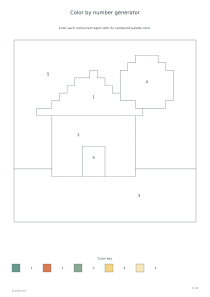
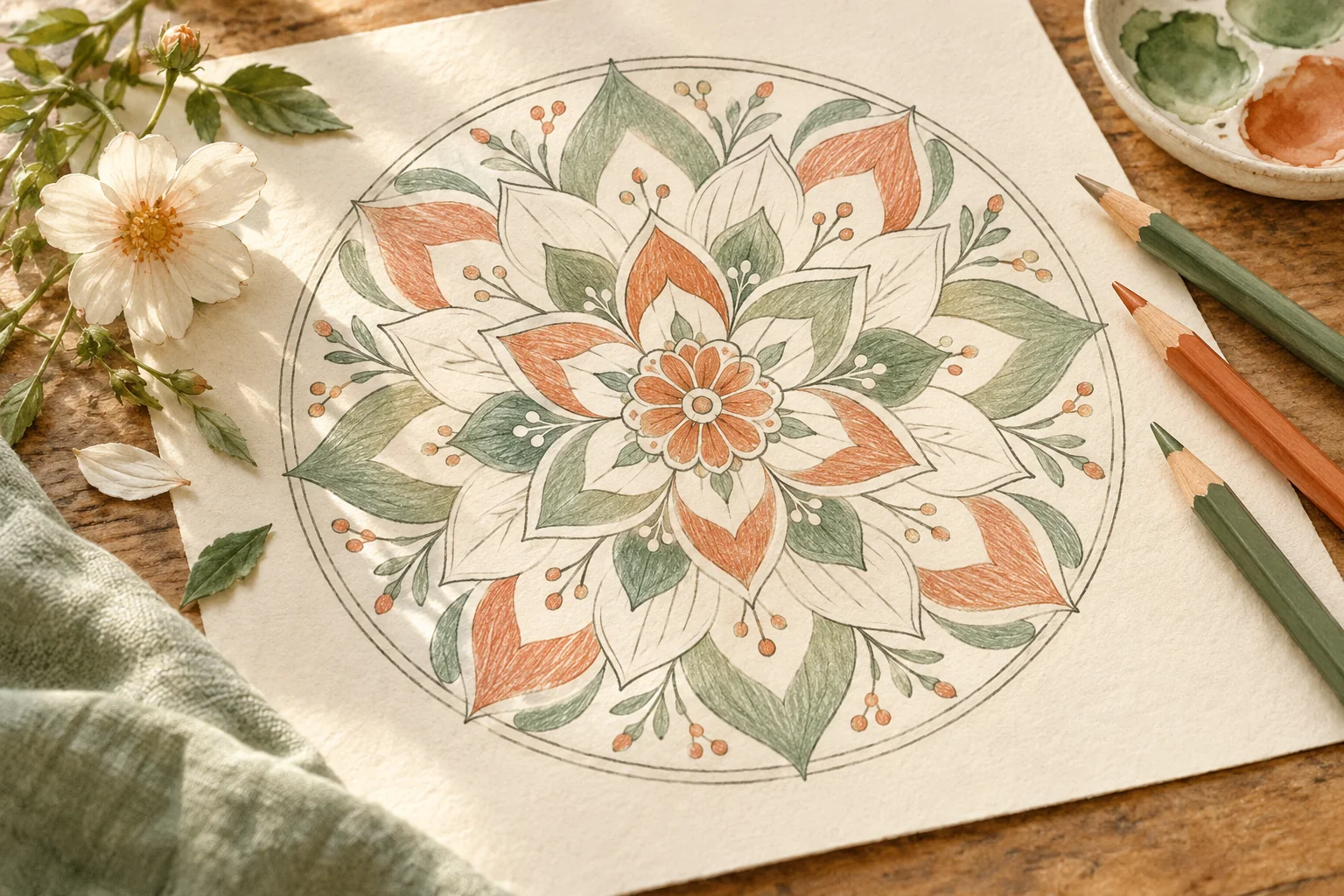
📝Every connected region receives its palette number inside one of its cells. Separate regions sharing a color receive the same number in their own locations. Boundaries follow grid steps rather than smooth photographic tracing. Find a number in the legend, then follow that connected area to its edges. For a prepared activity without a personal picture, use mandala coloring pages. This tool instead interprets the selected source through a particular grid and palette.
The basic output is one unfilled numbered outline with a palette key. Add a colored answer page when useful. PDF and Print include the complete set; PNG, SVG and Share use the selected preview. Explicit Share stores the derived grid and palette, never the original file. Reopening may reduce that derived grid further but cannot reconstruct source detail already lost. Keep your original image if you want to make a more detailed conversion later.
Color by number generator
A six-color geometric picture
Load the original geometric sample. Set resolution to 24, colors to six and the small-region threshold to four, with answers enabled. The two pages contain the numbered unfilled outline with its palette and a colored reference. Inspect merged details before using the coloring sheet.
Use the original sample, resolution 16, four colors and a minimum region of eight cells. Turn answers off. The result is one page with numbered regions and the palette key. The smaller grid and stronger merging simplify the motif, so check that its important features remain clear.