Make dot marker activity sheets with butterflies, flowers, hearts, stars, fish or digits. Choose the circle diameter, add optional numbers and print the design at actual size.
Live preview210 × 297 mm
A4
Preview is scaled to fit. The PDF keeps the exact dimensions.
PDF and Print include all pages. PNG and SVG save the page shown.
For true-size printing: choose 100% / Actual size, match the paper size and turn off headers and footers. Printing guide ↗
Ready for your printer
Dot marker sheets turn a simple picture into a set of separate circles to fill. They can be used with a suitable marker, colored pencils or another chosen craft method. This generator builds the pattern from spaced circles and preserves the selected physical diameter. It is a configurable activity template rather than a compatibility guarantee for a particular marker brand or a developmental assessment.
💡A few useful answers
Will every marker fit the selected circles?
No brand compatibility is assumed. Measure or test the mark your own tool leaves on the intended paper, then choose an appropriate circle diameter. A nominal marker-tip size and the actual ink spot may differ. The generator controls the printed boundary, while the marker, pressure and paper affect the filled result.
Why does the circle count change when I adjust the size?
The pattern is rebuilt with enough separation to keep circles apart. Larger circles need more room, so fewer usually fit along the same shape. Nearby branches of a pattern are checked as well as neighboring points on one outline. The displayed count describes the current generated sheet, not a fixed count assigned to the picture name.
Does the numbered option teach stroke order?
No. The numbers identify the generated circle sequence. They can be useful for counting or referring to positions, but they are not a researched or language-specific handwriting program. The digit picture is a craft pattern; a learner practising numeral formation needs suitable instruction and a separate writing model.
Match the circles to the activity
✏️Choose a butterfly, flower, heart, star or fish outline, or select the digit option for a numeral from zero through nine. The pictures are built from their own geometric paths. Each pattern has a recognizable overall structure, but the individual circles are kept separate instead of being joined by a continuous coloring boundary.
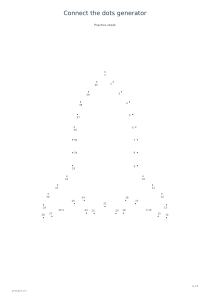
Circle diameters are eight, twelve, sixteen or twenty millimeters. A larger diameter leaves room for a broader mark and reduces the number of circles that can fit along the pattern. The tool avoids overlapping neighboring circles, including where two parts of a shape come close together. Unlike a connect-the-dots worksheet, the main task is filling spaces, not drawing a line between numbered points.
Choose a picture or a digit pattern
The number of circles depends on the selected picture, diameter, paper size and orientation. It is shown on the output so that you can choose a manageable activity length. Do not assume that two different pictures will contain the same number of dots, or that changing only the circle diameter will preserve a previous counting task.
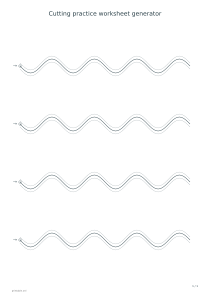
Optional numbers label the circles in their generated order. They can support a simple counting conversation or help an adult refer to a particular space. They are not instructions for handwriting strokes and do not describe a required motor-development sequence. For a different paper-handling task, the cutting practice generator offers lines and contours intended for supervised cutting activities.
Check the printed size before adding color
📝Keep the paper background light when the worksheet will be printed on ordinary white stock, and choose an outline color with enough contrast to remain visible beneath the marks. A marker’s ink can spread differently on different papers. Try a small portion of a test sheet before preparing several copies, especially when you want the mark to stay inside each printed circle.
Print at actual size or one hundred percent to retain the selected diameter. Fitting the page to a printer’s available area changes the circles along with the rest of the design. If the learning task is following the form of written letters or names, use tracing sheets as a separate activity; filling a dotted numeral picture is not the same as practising its writing strokes.
Dot marker printable generator
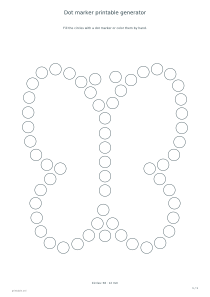
A butterfly with medium circles
Choose the butterfly picture, twelve-millimeter circles and no numbers on A4 portrait. The one-page printable shows a separated-circle butterfly outline. Print a test at actual size and compare a real marker spot with the circles before preparing the activity materials.
Choose the digit picture, select five, use sixteen-millimeter circles and enable numbering on A4 portrait. One sheet displays the numeral pattern and its circle count. The small labels number the circles for reference; they do not represent the handwriting stroke order of the digit.