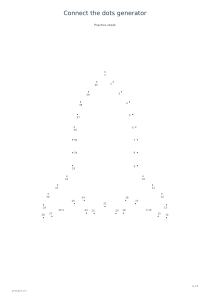
Number of dots: 20
Try the 20-point star for an introduction to following number order and drawing straight lines. Use these settings: Picture: Star; Number of dots: 20; First number: 1; Counting step: 1; Add answer sheet: No.
Open this exampleFree · No sign-up
Create dot-to-dot printables from eight original outlines, with 20–80 numbered points, skip-counting options and a connected answer picture.
Preview is scaled to fit. The PDF keeps the exact dimensions.
Choose a star, heart, fish, cat, rocket, butterfly, house or leaf. The selected outline becomes an ordered loop of dots. More points describe the shape more closely; fewer points give a simpler drawing.
Choose the first number and a step of 1, 2, 5 or 10. Follow the numbers in increasing order, then join the final dot back to the first. All eight pictures use a closed outline.
The optional second sheet joins the same points and keeps their numbers for checking. Number labels are positioned away from dots and each other. A3 provides more room for dense outlines and three-digit labels.