Turn your own word list into printable spelling practice: copying, missing letters and reordered letters. Create one exercise or a complete set with separate answers and reproducible letter arrangements.
Live preview210 × 297 mm
A4
Preview is scaled to fit. The PDF keeps the exact dimensions.
PDF and Print include all pages. PNG and SVG save the page shown.
For true-size printing: choose 100% / Actual size, match the paper size and turn off headers and footers. Printing guide ↗
Ready for your printer
Use a short list from a lesson, a reading passage or vocabulary revision. The same words can be copied in full, completed from partial prompts and reconstructed from shuffled letters. You choose the spellings to practise; the generator does not correct them or decide which vocabulary suits a learner.
💡A few useful answers
Does it check spelling or supply definitions?
No. Your input is the source of truth for the worksheet and answer key. The generator preserves the entered words after basic format checks. It does not consult a dictionary, suggest corrections or add definitions, pronunciation, translations or grammatical information. Review the list yourself before printing it for someone else.
Will every shuffled word have only one answer?
Not necessarily. Different words can share the same letters, and repeated letters may make a short prompt less informative. The key shows the original word from your list. Give oral context, use the copying section as a word bank or accept other suitable answers according to the purpose of your lesson.
What happens to accents and non-Latin writing?
Combined characters are kept together when letters are hidden or shuffled. The site’s print-font system supports the active writing systems, and the sample list follows the page language. You can replace that list with your own supported words; the interface language does not translate the words you enter.
Prepare a clean word list
✏️Enter one word per line, with two to twenty grapheme clusters per word and no more than twenty distinct words. A grapheme is a visible letter unit, including its combining marks. Accents stay attached to their letters. Spaces, digits, hyphens and punctuation are rejected, so this editor is intended for individual words rather than phrases or sentences.
The list preserves case and input order. Exact duplicate words are removed, but differently capitalised forms remain distinct. Check your source list before generating a class set: a mistyped word is reproduced consistently in the exercises and the key. For sentence-level penmanship, use the separate handwriting sheets instead of removing spaces from a sentence.
Select the spelling exercises
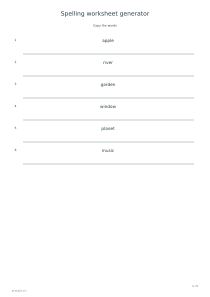
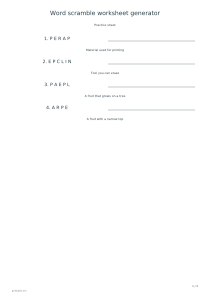
Copy mode prints each complete word above a writing line. Missing-letter mode keeps alternate visible letter units and replaces the others with blanks. Reorder mode shuffles the units and separates them with dots. A word containing different letters is rearranged so the prompt is not identical to its original order; repeated letters remain repeated.
All-three mode creates a separate section for each activity, using the same list. It does not squeeze three tasks into every row. The answer option adds keys for missing-letter and reorder activities after the practice sections; copying needs no separate key because the model word is already visible. The word scramble tool adds optional clues when you need that extra context.
Review responses with context
✏️The arrangement code controls the shuffled order. Keep the code and list unchanged when preparing matching copies, or change it for a fresh arrangement. The missing-letter pattern is fixed rather than randomly chosen. Paper height determines how many rows fit, and longer lists continue onto additional pages without discarding words.
Ask learners to use a completed word in a spoken sentence before checking the written response. A partial or shuffled prompt may permit another valid word, so the key identifies your intended list rather than proving a unique linguistic solution. Use word flashcards for meanings or translations that help distinguish similar spellings.
Spelling worksheet generator
Spelling exercises: Copy the words
For a model-and-copy sheet, keep the six sample words and select Copy the words with answers off. Each complete word appears above a blank writing line. Replace the sample list with six words from the current lesson, checking accents and capitalisation before producing the final PDF.
For a complete revision set, keep the same six words, select All three exercises, enable answers and use code 257. On A4 portrait this produces three practice pages and two answer pages. The order of words stays constant, while only the reordered-letter prompts depend on the arrangement code.