💡A few useful answers
How are the amounts calculated?
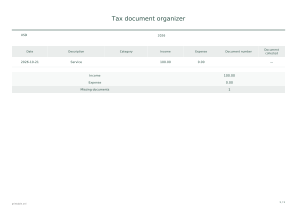
Income and expenses are summed separately; unchecked records count as missing documents.
How should I enter my records?
Use categories and references to locate the originals. Checking a box does not upload a file.
What limitations should I keep in mind?
This January–December organizer does not determine deductions, tax due or filing requirements.
Tax document organizer
Calendar year: 2027
Use these settings: Calendar year: 2027; Content: Date: 2027-01-05, Income: 1200, Expense: 0, Document number: , Document collected: Yes / Date: 2027-02-10, Income: 0, Expense: 150, Document number: , Document collected: No. Income: $1,200.00; Expense: $150.00; Missing documents: 1.
Open this example ↗Calendar year: 2028
Use these settings: Calendar year: 2028; Content: Date: 2028-02-29, Income: 0, Expense: 75, Document number: , Document collected: Yes. Income: $0.00; Expense: $75.00; Missing documents: 0.
Open this example ↗