Free · No sign-up

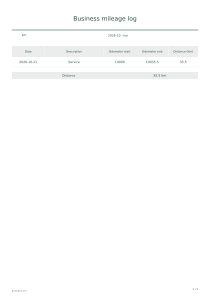
Business mileage log.

Keep a printable record of business trips, purposes and odometer readings.

Make it yours

01 The page
Orientation
02 Business mileage log
03 Description

Use at most 60 rows and shorten long entries.

Ink color
Ink color
Paper color

Share publishes the document entries and logo. Anyone with the link can view them; there is no automatic expiry.

Live preview210 × 297 mm
A4

Preview is scaled to fit. The PDF keeps the exact dimensions.

Ready for your printer

Custom color

Ink color

Use left and right arrows for saturation, up and down for brightness. Hold Shift for larger steps.

Business mileage log

A few useful answers

How are the amounts calculated?

Trip distance is the ending reading minus the starting reading, recorded to one decimal place.

How should I enter my records?

Enter the route or business purpose in the description; readings are entered manually without GPS.

What limitations should I keep in mind?

Changing km to mi changes the label, not the values. No reimbursement or tax allowance is calculated.
Business mileage log

Distance unit: km

Use these settings: Month: 2027-01; Distance unit: km; Content: Date: 2027-01-05, Odometer start: 10000, Odometer end: 10035.5 / Date: 2027-01-06, Odometer start: 10035.5, Odometer end: 10055. Distance: 55 km.

Open this example

Distance unit: mi

Use these settings: Month: 2027-02; Distance unit: mi; Content: Date: 2027-02-03, Odometer start: 2000, Odometer end: 2012.4. Distance: 12.4 mi.

Open this example