💡A few useful answers
How should I enter my records?
Enter the opening balance and record receipts or payments on separate dated rows.
How are the amounts calculated?
Income increases the balance; expenses reduce it. Keep receipt references in the description.
What limitations should I keep in mind?
Rows retain their entered order and dates must match the selected month. This is a simple cash record.
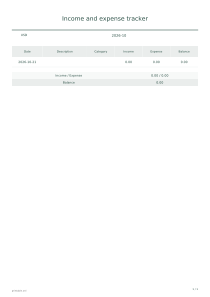
Income and expense tracker
Opening balance: 200
Use these settings: Opening balance: 200; Month: 2027-01; Currency: USD; Content: Date: 2027-01-05, Income: 50, Expense: 0 / Date: 2027-01-06, Income: 0, Expense: 30. Income: $50.00; Expense: $30.00; Balance: $220.00.
Open this example ↗Opening balance: 0
Use these settings: Opening balance: 0; Month: 2027-02; Currency: EUR; Content: Date: 2027-02-03, Income: 300, Expense: 0 / Date: 2027-02-04, Income: 0, Expense: 125. Income: €300.00; Expense: €125.00; Balance: €175.00.
Open this example ↗Opening balance: 100
Use these settings: Opening balance: 100; Month: 2027-03; Currency: USD; Content: Date: 2027-03-01, Income: 0, Expense: 120. Income: $0.00; Expense: $120.00; Balance: -$20.00.
Open this example ↗