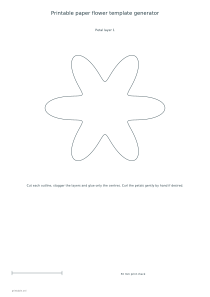
Create a flat paper snowflake or stencil with six or eight arms. Choose its diameter, outline and interior openings, then print an original cutting template with an optional illustrated guide.
Live preview210 × 297 mm
A4
Preview is scaled to fit. The PDF keeps the exact dimensions.
PDF and Print include all pages. PNG and SVG save the page shown.
For true-size printing: choose 100% / Actual size, match the paper size and turn off headers and footers. Printing guide ↗
Ready for your printer
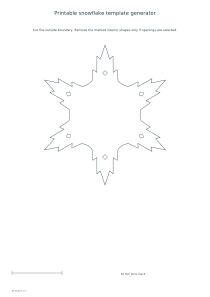
This editor makes a full flat cutout, not a wedge for cutting through folded paper. Start with the diameter and arm count, then compare the crystal, pointed-star and rounded outlines. You can leave the interior solid or add one circular or diamond opening to each arm. The generator keeps those openings separate from the outside boundary and from one another, preserving a connected central piece.
💡A few useful answers
Is this a pattern for folded-paper cutting?
No. It is a complete flat outline with optional interior openings. The four-step guide explains printing, cutting and decorating that flat piece. It does not give a folding sequence, layered wedge or instructions for a three-dimensional snowflake.
How does the generator keep the design connected?
The outer shape encloses a solid centre, and all arms join that area. Interior openings are checked to stay strictly inside the outline and separate from one another. Material thickness and the accuracy of the physical cut still affect the finished piece.
Why can a large diameter fail to fit?
The design, title and scale reference need enough room inside the chosen page. The generator preserves the selected physical diameter and reports an error when the layout is too small. Choose a larger sheet, change orientation or reduce the diameter.
Choose the outline and physical size
✏️The diameter measures the distance between opposite outer tips. Sizes of one hundred, one hundred and forty and one hundred and eighty millimetres are available. Six arms give one repeated arrangement, while eight create a denser decorative snow-star. These are stylized craft shapes rather than scientific diagrams of snow crystals. The outline style changes the radial profile: crystal has angular branch-like edges, star has simple pointed arms, and rounded uses softer curves.
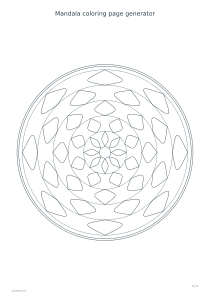
Every outline surrounds an uncut central area that joins the arms. Optional openings sit farther out, one within each arm. Small and large settings change the opening size in proportion to the selected diameter. The geometry checks that each opening stays inside the outline and that openings do not touch. This verifies a connected drawing, not the strength of a particular paper or a completed physical cutting test. For another radial decoration, compare the mandala coloring generator.
Keep the centre and arms connected
Print the selected paper size at one hundred percent or Actual size. The fifty-millimetre reference helps you check that a printer has not reduced the template to fit its margins. A large snowflake may need portrait orientation or A3, because the editor keeps its chosen diameter instead of silently scaling it down. Use the printable ruler as an additional reference when several people need matching pieces for a display.
Cut around the outside boundary first, leaving the central area and every arm attached. If you selected openings, make the starting cut inside each marked shape and follow that interior boundary. Do not connect an opening to the outside edge: doing so changes the design and may weaken an arm. Choosing No interior openings gives the simplest cutting task and an unbroken surface for pencil decoration. The optional guide shows the outside cut, interior shapes, decoration and flat finished piece.
Cut and decorate the flat template
📝Colored artwork adds a pale blue fill to the snowflake while keeping the openings clear. Plain mode works well when you want to draw on the piece or use paper that already has a color. Changing the ink setting changes the outline; the paper-color setting changes the printed background. Consider the preview before printing a large batch, especially if you intend to discard most of the surrounding sheet. The template does not include a hanging hole or a three-dimensional assembly.
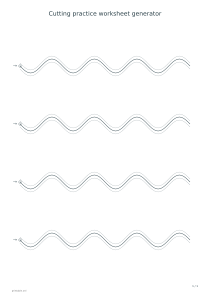
Use a flat cutout on a card, a window display or another paper composition. If the project needs a border to cut around, keep the outline visible rather than covering it with heavy decoration before cutting. PDF and Print include the guide when it is enabled, while SVG and PNG export only the selected page. Share preserves the geometry and color choices. The cutting practice editor supplies separate line-following exercises when the next task should focus on control rather than a finished decoration.
Printable snowflake template generator
A six-arm crystal outline
Choose a 140 mm diameter, six arms, Crystal outline, diamond openings and the small opening size. Leave colored artwork off and include the cutting guide on A4 portrait. The export contains the full flat template and a separate four-step guide.
Set the diameter to 100 mm, choose eight arms and Rounded outline, then select circular openings in the large size. Enable colored artwork and the guide on A4 portrait. Print both pages at actual size and keep the interior cuts separate from the outer boundary.