Create a six-sector or twelve-sector RGB hue wheel with optional HEX labels and opposite-hue markers. Print a complete reference, an empty circle or alternating colors to finish by hand.
Live preview210 × 297 mm
A4
Preview is scaled to fit. The PDF keeps the exact dimensions.
PDF and Print include all pages. PNG and SVG save the page shown.
For true-size printing: choose 100% / Actual size, match the paper size and turn off headers and footers. Printing guide ↗
Ready for your printer
This wheel samples evenly spaced HSV hue angles at full saturation and full value. It describes RGB color values, not a recipe for mixing red, yellow and blue paint. The printed appearance depends on the printer, ink, paper and color-management settings, so use the labels when exact digital values matter.
💡A few useful answers
Is this a traditional paint-mixing wheel?
No. It is an RGB hue reference sampled through HSV with full saturation and value. Paint pigments do not necessarily mix to the same results as RGB channel values. Use it for digital color relationships or an explicitly described comparison activity.
Why does a printed color differ from its screen version?
A screen emits light while a print reflects light from ink and paper. Device profiles, paper color and ink limits also affect the result. The HEX text records the intended digital value even when the physical sample looks different.
What does the marked opposite pair mean?
The marked sectors are separated by 180 degrees of hue in this particular RGB/HSV construction. The editor does not infer a universal design harmony, assess color vision or guarantee an accessible foreground-and-background contrast ratio. Check those purposes separately.
Choose the RGB model consciously
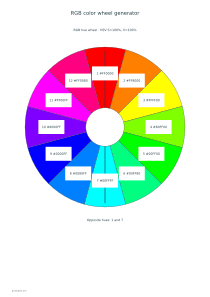
✏️The six-sector reference starts with red and continues through yellow, green, cyan, blue and magenta. The twelve-sector option inserts another hue between each pair. Saturation and value are fixed at one hundred percent; only hue changes around the wheel. This makes the relationship easy to see, but it is not a complete map of lightness, saturation or all printable colors.
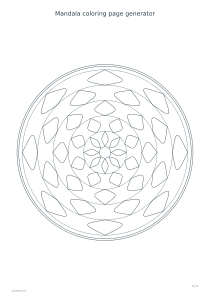
HEX labels identify the red, green and blue channel values used for each sector. They are useful when transferring a selected digital hue to another design tool. A physical swatch cannot guarantee the same appearance on another screen or printer. For an activity based on repeated shapes rather than numerical color labels, try the mandala coloring generator.
Read sectors and opposite hue positions
Sector numbers provide stable positions around the circle. With twelve sectors, each step represents thirty degrees of hue; with six, each step represents sixty degrees. You can retain numbers while hiding HEX values for a discussion exercise. Numbering does not rank colors or attach a preferred emotion, season or artistic meaning to a particular part of the wheel.
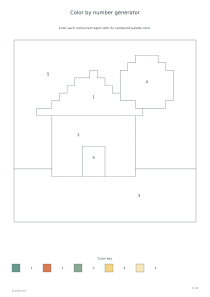
The opposite-pair option marks the selected sector and the hue one hundred and eighty degrees away. Choose a first-sector number that exists in the current six- or twelve-sector layout. The line is a geometric reference for opposite hues in this model. The color-by-number tool instead assigns palette numbers to regions in a picture, so its numbers serve a different purpose.
Use blank areas for a practical color exercise
📝Reference mode fills every sector. Blank mode leaves every sector unfilled, while missing-colors mode retains alternating positions for the learner to complete. An optional answer page is available for the two incomplete modes. Decide whether a learner should imitate the digital samples with available pencils, write color values, or simply discuss the sequence; those are different tasks with different acceptable results.
The wheel keeps a 140, 160 or 180 mm diameter. Larger paper may be needed when changing orientation, and an oversized choice produces a fit error instead of automatic scaling. Leave space around a printed wheel for observations about the actual materials used. A separate sheet of graph paper can hold a numbered swatch table without squeezing notes into the sectors.
RGB color wheel generator
A labelled twelve-hue reference
Choose twelve sectors, reference mode, 160 mm diameter, HEX labels and the opposite-pair option with sector one. The one-page wheel shows all colors and their channel values. Answers do not add a redundant page to a complete reference.
Choose six sectors, missing-colors mode, 140 mm diameter, no HEX labels and no opposite-pair line. Enable answers for a worksheet and a completed reference. Three alternating sectors remain colored, providing positions from which to discuss the missing hues.