Free · No sign-up

Greeting card maker.

Make flat or folded greeting cards with a personal message, colours and a picture. Download the printable sheet as PDF.

Make it yours

01 The page
Orientation
02 Content

Dimensions refer to the finished card or flag after folding.

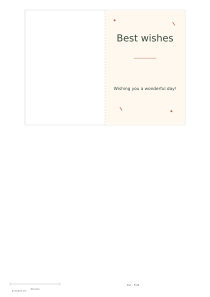
Print one side and fold vertically. The inside stays blank for handwriting.

03 Your picture

JPG / PNG / WebP · ≤ 10 MB

Your picture stays in this tab. Download before closing, or use Share to save a public version.

04 Ink color
Ink color
Second point color
Paper color

Print at 100%. Check the 50 mm ruler before cutting.

○ Free · No sign-up

Live preview210 × 297 mm
A4

Preview is scaled to fit. The PDF keeps the exact dimensions.

Ready for your printer

Custom color

Ink color

Use left and right arrows for saturation, up and down for brightness. Hold Shift for larger steps.

Greeting card maker

Greeting card maker

The folded layout places the cover on the right and leaves the reverse panel plain.

A few useful answers

Is double-sided printing required?

No. Print once, fold vertically and write your message on the blank inside.

How can I use the finished printable?

Use the flat format for a thank-you note tucked into a parcel.

What helps with cutting and assembly?

For a folded card, score the centre gently before bending thicker paper. The entered width is the closed size.
Decoration

Folded format: Yes

Use these settings: Folded format: Yes; Width: 80 mm; Vertical height: 115 mm; Quantity: 1; Decoration: Frame.

Open this example

Folded format: No

Use these settings: Folded format: No; Width: 100 mm; Vertical height: 70 mm; Quantity: 4; Decoration: Leaves.

Open this example