Free · No sign-up

Photo Calendar Maker.

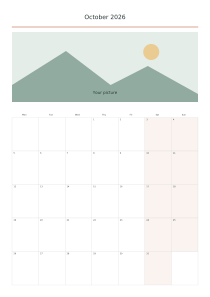
Create a printable calendar with your own photo. Upload a picture, choose the date layout and position the image above it.

Make it yours

01 Your picture

JPG / PNG / WebP · ≤ 10 MB

Your picture stays in this tab. Download before closing, or use Share to save a public version.

02 The page
Orientation
03 Calendar layout
Events

One date per line: MM-DD | text. Up to 60 entries, 70 characters each. Use valid dates.

04 Ink color
Ink color
Second point color
Paper color

○ Free · No sign-up

Live preview210 × 297 mm
A4

Preview is scaled to fit. The PDF keeps the exact dimensions.

Ready for your printer

Custom color

Ink color

Use left and right arrows for saturation, up and down for brightness. Hold Shift for larger steps.

Photo Calendar Maker

Photo Calendar Maker

Use crop-to-fill for a full-width header or fit the whole picture to preserve its edges.

A few useful answers

Can I use a different photo on every page?

This editor repeats one uploaded image across the calendar. Make separate designs for different pictures.

How should I prepare or position my picture?

Keep faces away from the crop boundary and check the preview after changing paper orientation.

How can I personalize the design?

For a gift, add a short title and choose an accent color that complements the picture.
Calendar layout

Picture fit: Fill and crop

Use these settings: Picture fit: Fill and crop; Picture height (%): 35; Year: 2,027; First month: January; Orientation: Landscape.

Open this example

Picture fit: Show whole picture

Use these settings: Picture fit: Show whole picture; Picture height (%): 25; Year: 2,027; First month: February; Orientation: Portrait.

Open this example